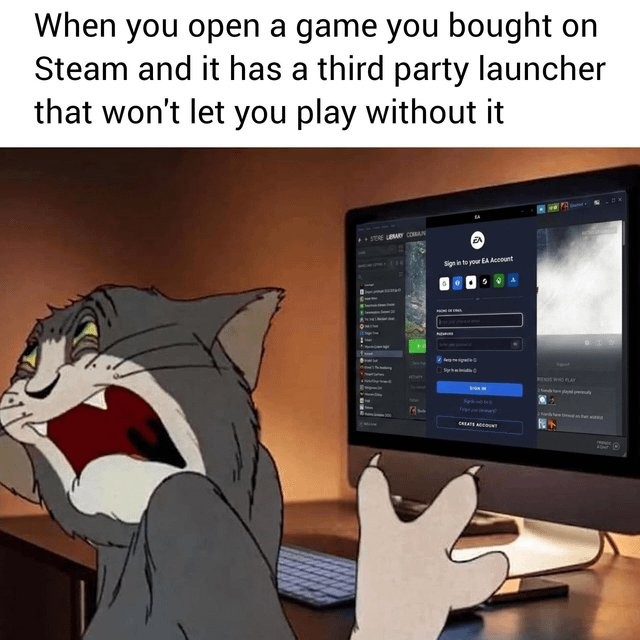
I hate it so much when I am playing with a controller in Big Picture mode. Fuck off with extra bullshit. There’s no reason a sign in thing needs to be a special window or extra program. I should be able to do anything like that in the game itself.
My setup has been pretty good at handling those, though thankfully I often don’t need to.
On Moonlight, I can hold the start button to briefly enable mouse mode, then click whatever I need to. Don’t think Steam remote play has something similar.
IDK about remote play, but Steam has special button combos to help with this. Holding the “home/menu” button activates mouse mode with the right stick. But holding that button is also generally how you turn the controller off so you gotta use it in short bursts or you turn the damn thing off. :/
It messes so much up when I’m streaming from one PC to another too. I usually have to go back and forth to the other room to use the launcher, and sometimes again to make sure it focuses on the right application window.
I hate it so much when I am playing with a controller in Big Picture mode. Fuck off with extra bullshit. There’s no reason a sign in thing needs to be a special window or extra program. I should be able to do anything like that in the game itself.
My setup has been pretty good at handling those, though thankfully I often don’t need to.
On Moonlight, I can hold the start button to briefly enable mouse mode, then click whatever I need to. Don’t think Steam remote play has something similar.
IDK about remote play, but Steam has special button combos to help with this. Holding the “home/menu” button activates mouse mode with the right stick. But holding that button is also generally how you turn the controller off so you gotta use it in short bursts or you turn the damn thing off. :/
It messes so much up when I’m streaming from one PC to another too. I usually have to go back and forth to the other room to use the launcher, and sometimes again to make sure it focuses on the right application window.