meh@piefed.blahaj.zone to Selfhosted@lemmy.worldEnglish · 1 year agogoodbye plexpiefed.cdn.blahaj.zoneimagemessage-square7linkfedilinkarrow-up16arrow-down11file-text
arrow-up15arrow-down1imagegoodbye plexpiefed.cdn.blahaj.zonemeh@piefed.blahaj.zone to Selfhosted@lemmy.worldEnglish · 1 year agomessage-square7linkfedilinkfile-text
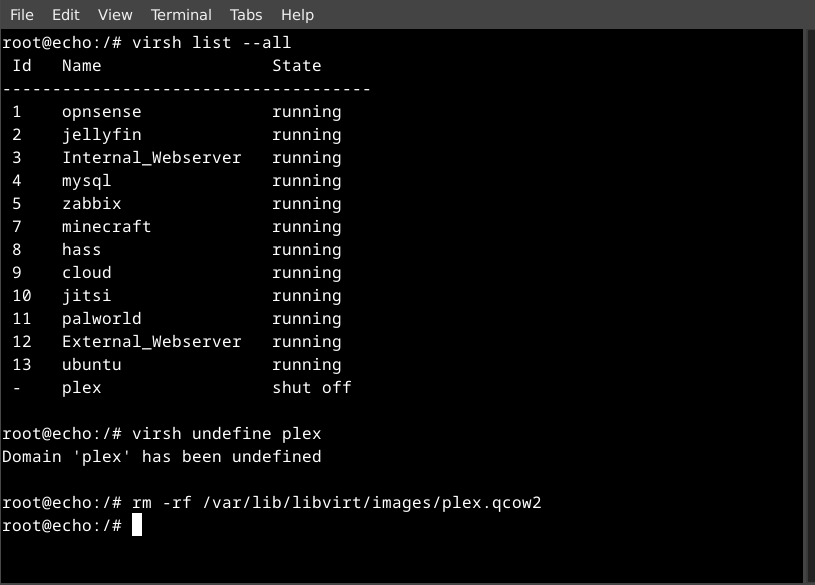
after almost 15yrs my plex server is no more. jellyfin behind nginx with authentik is running very nicely.
minus-squaredaniskarma@lemmy.dbzer0.comlinkfedilinkEnglisharrow-up0·edit-21 year agoI’ve been using jellyfin for years. My best recommendation is DELAY UPDATES and back up before you update. I have a history of updates breaking everything so you should be careful about them. All software recommends backing up before an update, but for jellyfin the shit is real, you really want to back up.
minus-squareSupremeDonut@lemmy.mllinkfedilinkEnglisharrow-up0·1 year agoLike the version or the media?
minus-squaredaniskarma@lemmy.dbzer0.comlinkfedilinkEnglisharrow-up1·1 year agoI have it on docker with two volumes, ./config and ./cache I back up those before each update. A bad Jellyfin update should not mess with your media folder in anyway. Though you should have backups of those aswell as a rule of thumb.


I’ve been using jellyfin for years.
My best recommendation is DELAY UPDATES and back up before you update.
I have a history of updates breaking everything so you should be careful about them.
All software recommends backing up before an update, but for jellyfin the shit is real, you really want to back up.
Like the version or the media?
I have it on docker with two volumes, ./config and ./cache
I back up those before each update.
A bad Jellyfin update should not mess with your media folder in anyway. Though you should have backups of those aswell as a rule of thumb.